Overview
Why it works
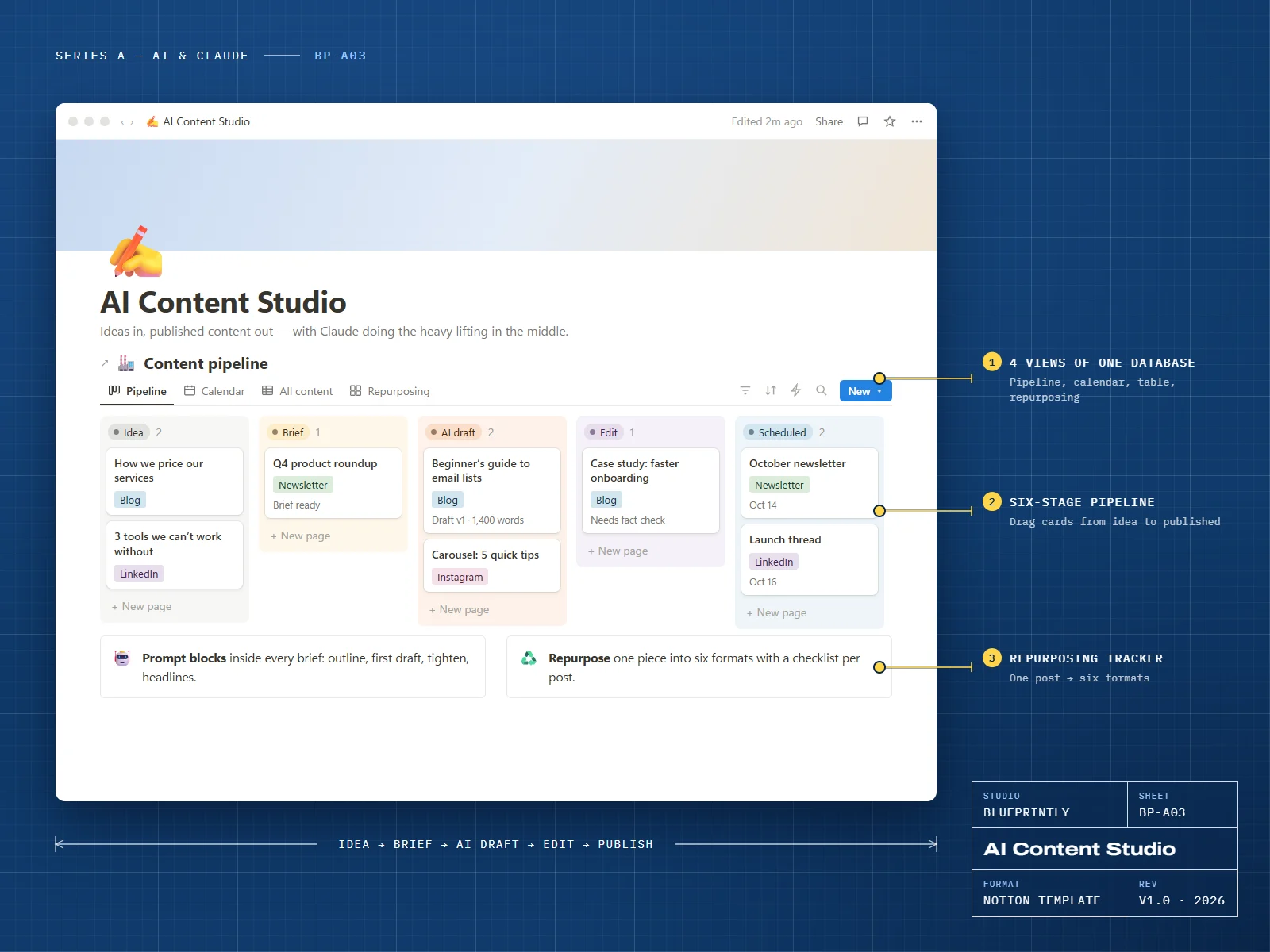
AI Content Studio is a six-stage pipeline for blogs, newsletters and social posts. Every piece starts as an idea, gets a proper brief, and moves through an AI-assisted draft and a human edit before it’s scheduled.
Each brief includes prompt steps you paste into Claude — outline, first draft, tighten, headlines — and a repurposing checklist that turns one piece into six formats.
6 parts
What’s inside
Ideas Inbox
Capture ideas fast, then promote the good ones to the pipeline.
Content Pipeline
Idea → Brief → AI draft → Edit → Scheduled → Published, as a board.
Brief Template
Audience, goal, context links and four prompt steps for Claude.
Content Calendar
Everything scheduled, colour-coded by channel.
Repurposing
Turn one piece into a newsletter section, LinkedIn post, carousel, video script, pin and FAQ entry.
Performance
Log results per piece and see which topics and channels work.
Made for
- Solo marketers and small business owners
- Creators publishing across several channels
- Anyone using Claude to draft but wanting a human edit before publishing
What you need
- A Notion account — the free plan is enough
Delivery
How you get it
Check out securely
Pay with card, Apple Pay or Google Pay through Stripe. It takes about a minute.
Open your template link
Your link appears on screen as soon as payment completes. We also email it to you within 24 hours.
Duplicate it into Notion
Click Duplicate, choose your workspace, and follow the Start here page inside the template.
Which channels does it support?
Does it publish for me?
How do I receive my template?
Can I get a refund?
Can I use a template for my business or my clients?
Related