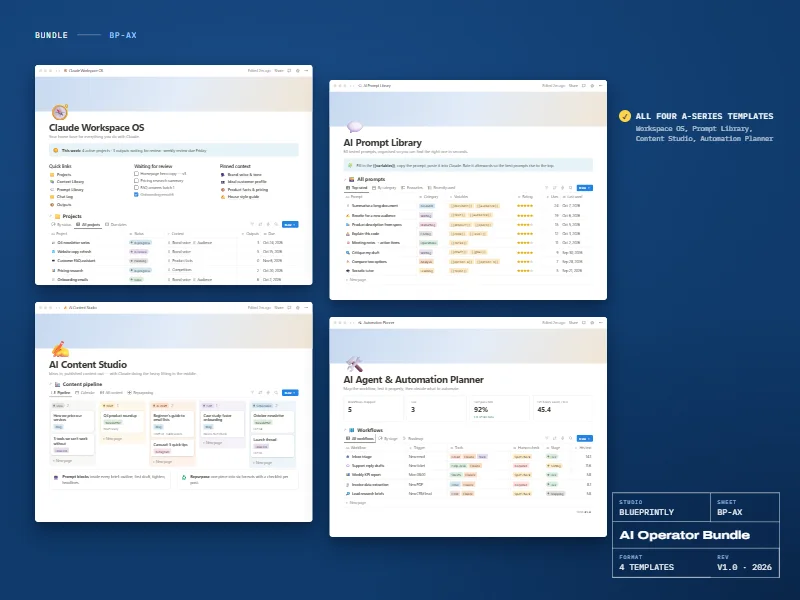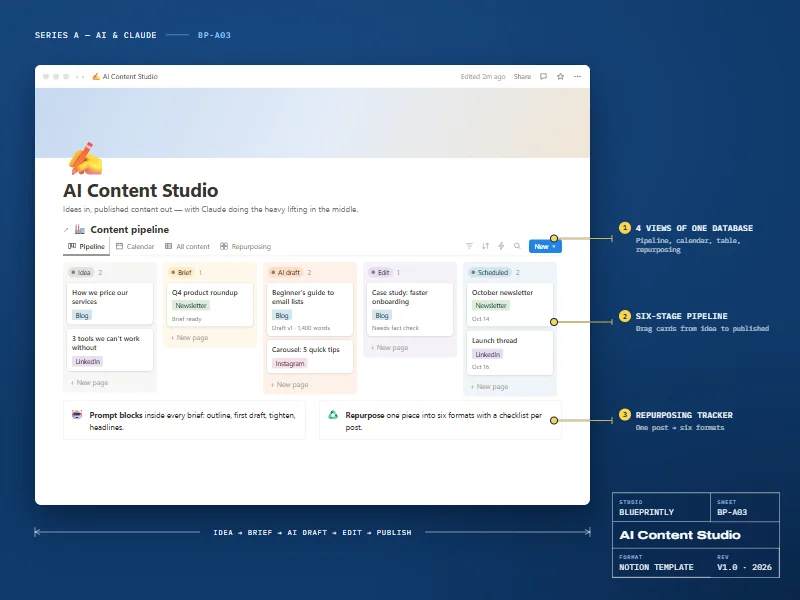
Overview
Why it works
Most people’s AI work is scattered: good prompts buried in old chats, the same background pasted in again and again, drafts saved in five places. Claude Workspace OS gives all of it a place to live.
Start a project, link the context documents Claude needs, reuse prompts from the built-in library, and log the outputs worth keeping. A weekly review keeps it tidy.
7 parts
What’s inside
Dashboard
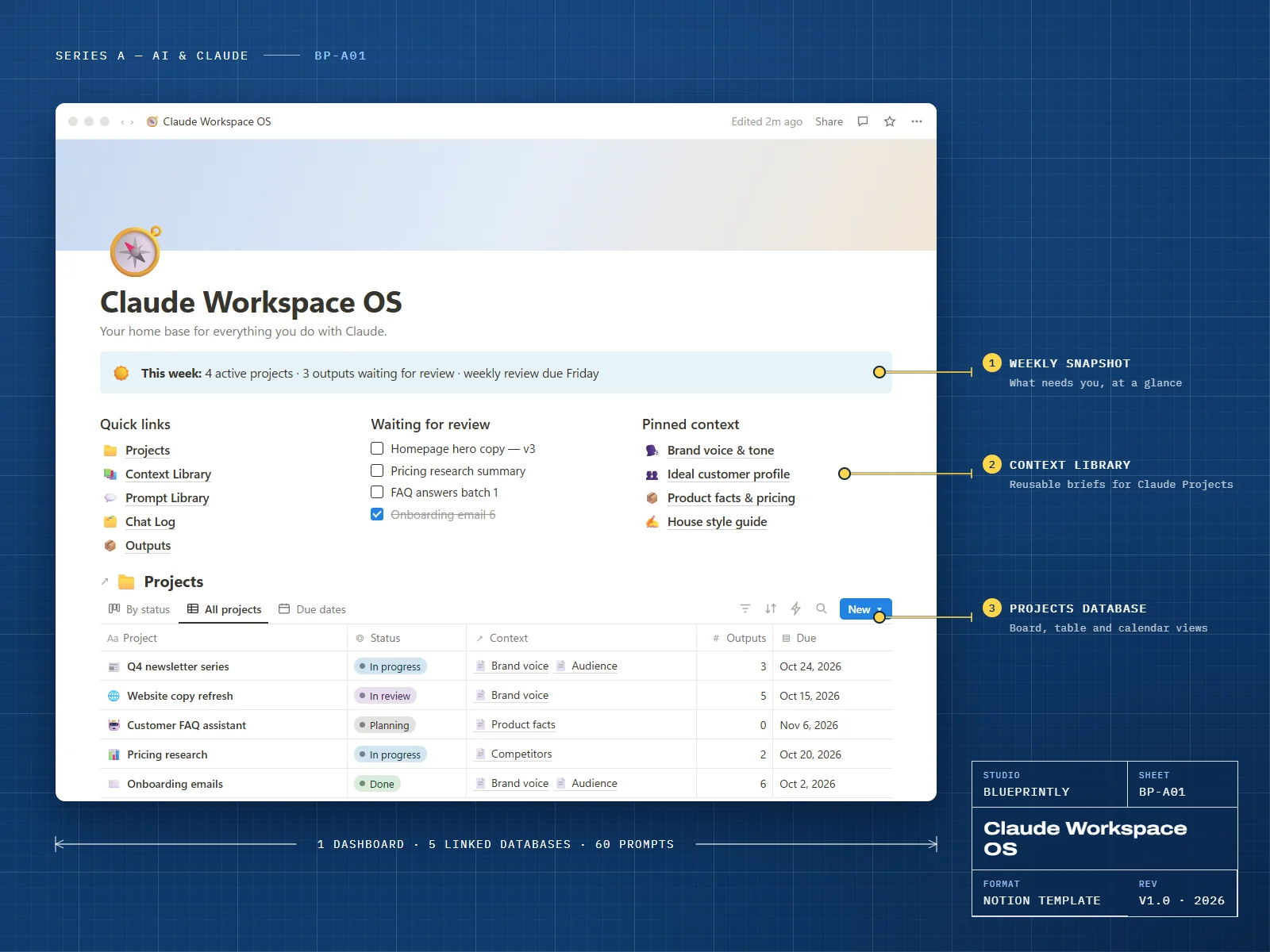
A weekly snapshot, quick links, pinned context and a review queue on one page.
Projects
Every piece of work with status, due date, linked context and outputs. Board, table and calendar views.
Context Library
Reusable briefs — brand voice, audience, product facts, style guide — ready to paste into a chat or add to a Claude Project.
Prompt Library
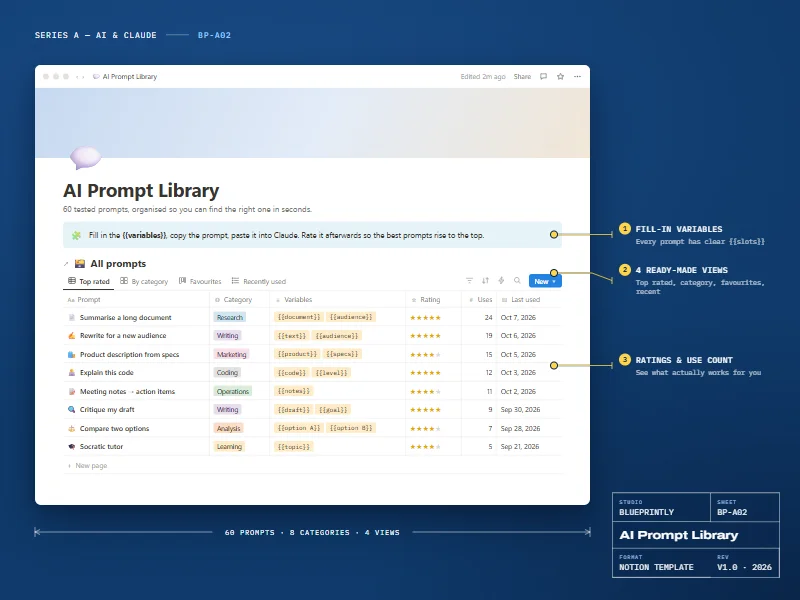
60 starter prompts with fill-in {{variables}}, ratings and use counts.
Chat Log
Keep the conversations that mattered, with a summary, decisions and follow-ups.
Outputs
Drafts, documents and code you produced, with review status and where each one was used.
Weekly Review
A repeatable page template: what shipped, what’s stuck, which prompts to improve.
Made for
- Freelancers and consultants using Claude for client work
- Small teams agreeing on how they use AI
- Anyone whose best prompts are scattered across old chats and notes
What you need
- A Notion account — the free plan is enough
- Any Claude plan (or another AI assistant)
Delivery
How you get it
Check out securely
Pay with card, Apple Pay or Google Pay through Stripe. It takes about a minute.
Open your template link
Your link appears on screen as soon as payment completes. We also email it to you within 24 hours.
Duplicate it into Notion
Click Duplicate, choose your workspace, and follow the Start here page inside the template.