Overview
Why it works
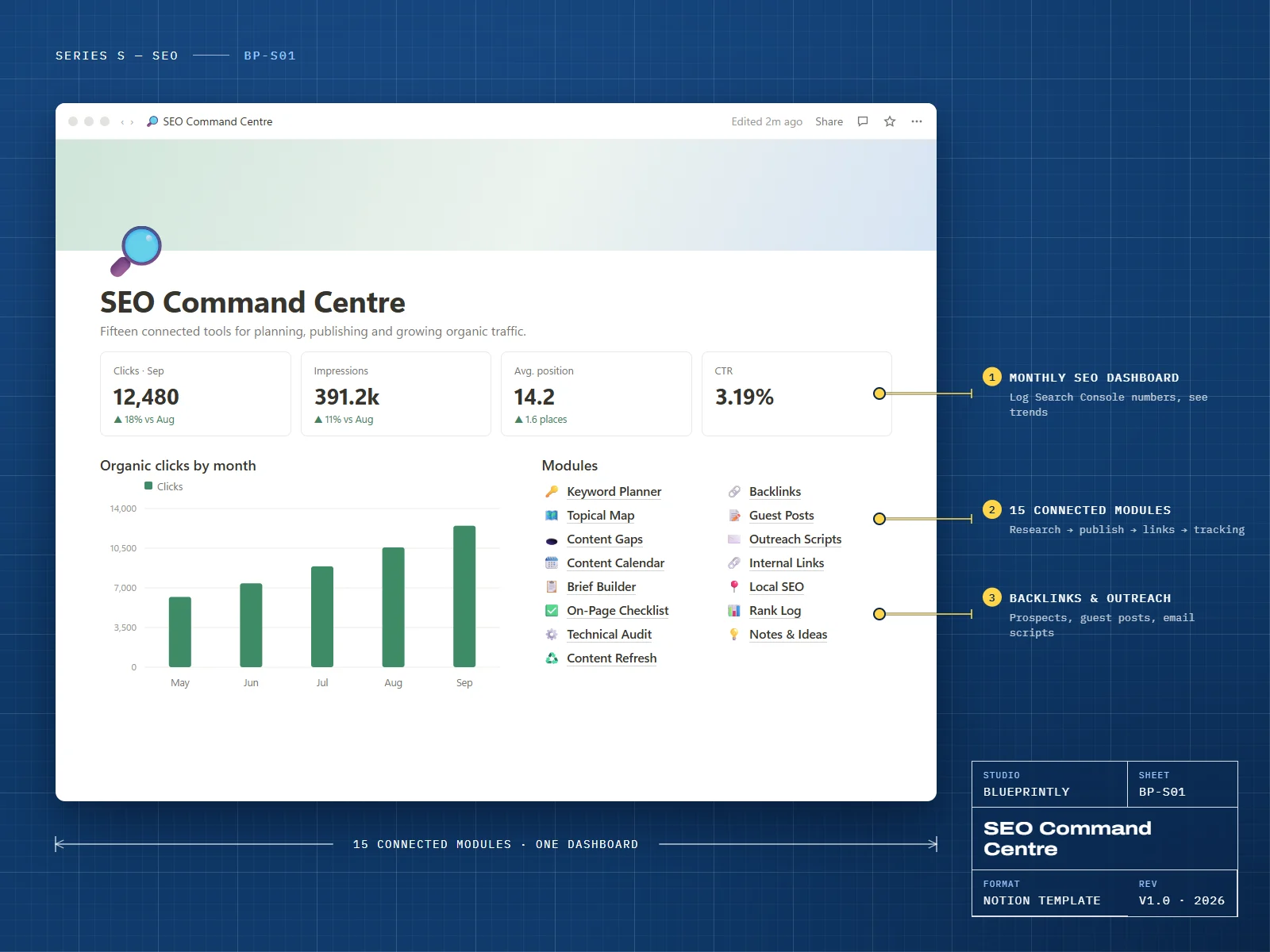
SEO Command Centre is a complete SEO operating system in Notion. Research and prioritise keywords, map topics into pillars and clusters, brief and refresh content, run on-page and technical checks, build links and track rankings — all linked, all on one dashboard.
It works with the tools you already use. Numbers from Google Search Console and your keyword tool are entered or pasted in, so there’s nothing to connect and nothing to break.
15 modules
What’s inside
Keyword Planner
Volume, difficulty, intent and a priority score that tells you what to target first.
Topical Map
Pillars and the cluster articles that support them.
Content Gaps
Topics competitors rank for that you don’t, ranked by opportunity.
Content Calendar
Briefs, drafts and publish dates on one calendar.
Brief Builder
A brief template with search intent, headings, questions and internal links.
On-Page Checklist
Title, meta description, headings, schema, images and links for every page.
Technical Audit
Indexing, speed, mobile, sitemap and crawl issues, with status and owner.
Content Refresh
Pages losing traffic, what to update and when it was last refreshed.
Backlinks
Link prospects, outreach status and links won.
Guest Posts
Pitches, deadlines, published URLs and anchor text.
Outreach Scripts
Email templates for link building and guest posting.
Internal Links
Which pages link where, and which pages need more links.
Local SEO
A Google Business Profile and local citations checklist.
Rank Log
Monthly positions for your target keywords.
Notes & Ideas
Experiments, observations and ideas in one place.
Made for
- Small business owners doing their own SEO
- Freelance SEOs and content marketers
- E-commerce brands building content around their products
What you need
- A Notion account — the free plan is enough
- Google Search Console (free) and any keyword research tool
Delivery
How you get it
Check out securely
Pay with card, Apple Pay or Google Pay through Stripe. It takes about a minute.
Open your template link
Your link appears on screen as soon as payment completes. We also email it to you within 24 hours.
Duplicate it into Notion
Click Duplicate, choose your workspace, and follow the Start here page inside the template.
Does it connect to Google Search Console?
Which keyword tool do I need?
How do I receive my template?
Can I get a refund?
Can I use a template for my business or my clients?
Related