Overview
Why it works
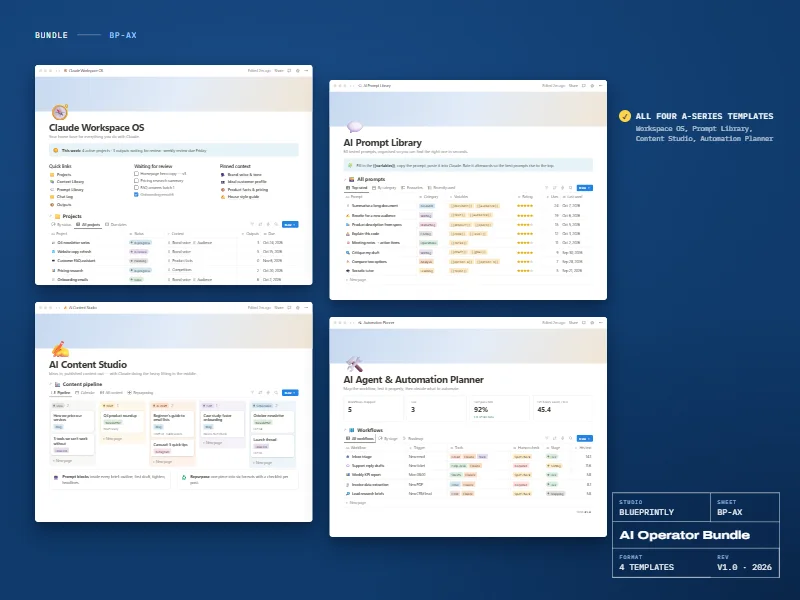
A prompt library is only useful if you can find the right prompt in seconds. This one is organised by category and use case, every prompt has clear fill-in variables, and you rate prompts after using them so the best ones rise to the top.
It comes with 60 prompts written for Claude across eight categories, and a simple way to test two versions of a prompt against each other.
6 parts
What’s inside
All Prompts
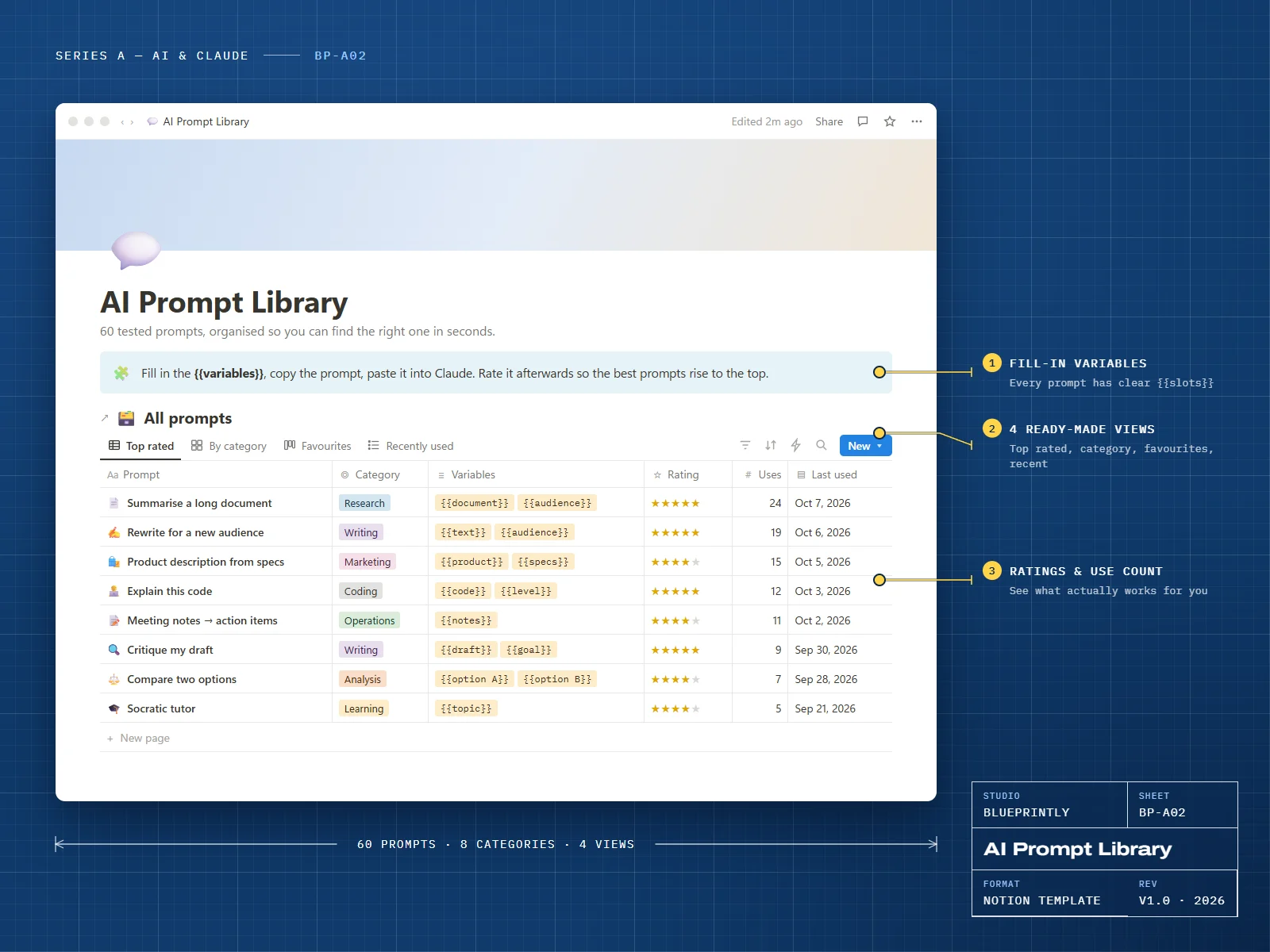
Each prompt has a category, use case, fill-in variables, rating, use count and last-used date.
60 starter prompts
Writing, research, marketing, coding, analysis, operations, learning and personal planning.
Four views
Top rated, by category, favourites and recently used.
Prompt pages
Each prompt page holds the prompt, tips, an example output and a version history.
Prompt Tests
Run two versions of a prompt side by side and record which one wins.
How to Write Prompts
A short guide to writing prompts that work first time.
Made for
- Anyone who reuses the same kinds of prompts every week
- Teams who want everyone using the prompts that work
- People new to Claude who want good starting points
What you need
- A Notion account — the free plan is enough
Delivery
How you get it
Check out securely
Pay with card, Apple Pay or Google Pay through Stripe. It takes about a minute.
Open your template link
Your link appears on screen as soon as payment completes. We also email it to you within 24 hours.
Duplicate it into Notion
Click Duplicate, choose your workspace, and follow the Start here page inside the template.
Are the prompts only for Claude?
Can I add my own prompts?
How do I receive my template?
Can I get a refund?
Can I use a template for my business or my clients?
Related