Overview
Why it works
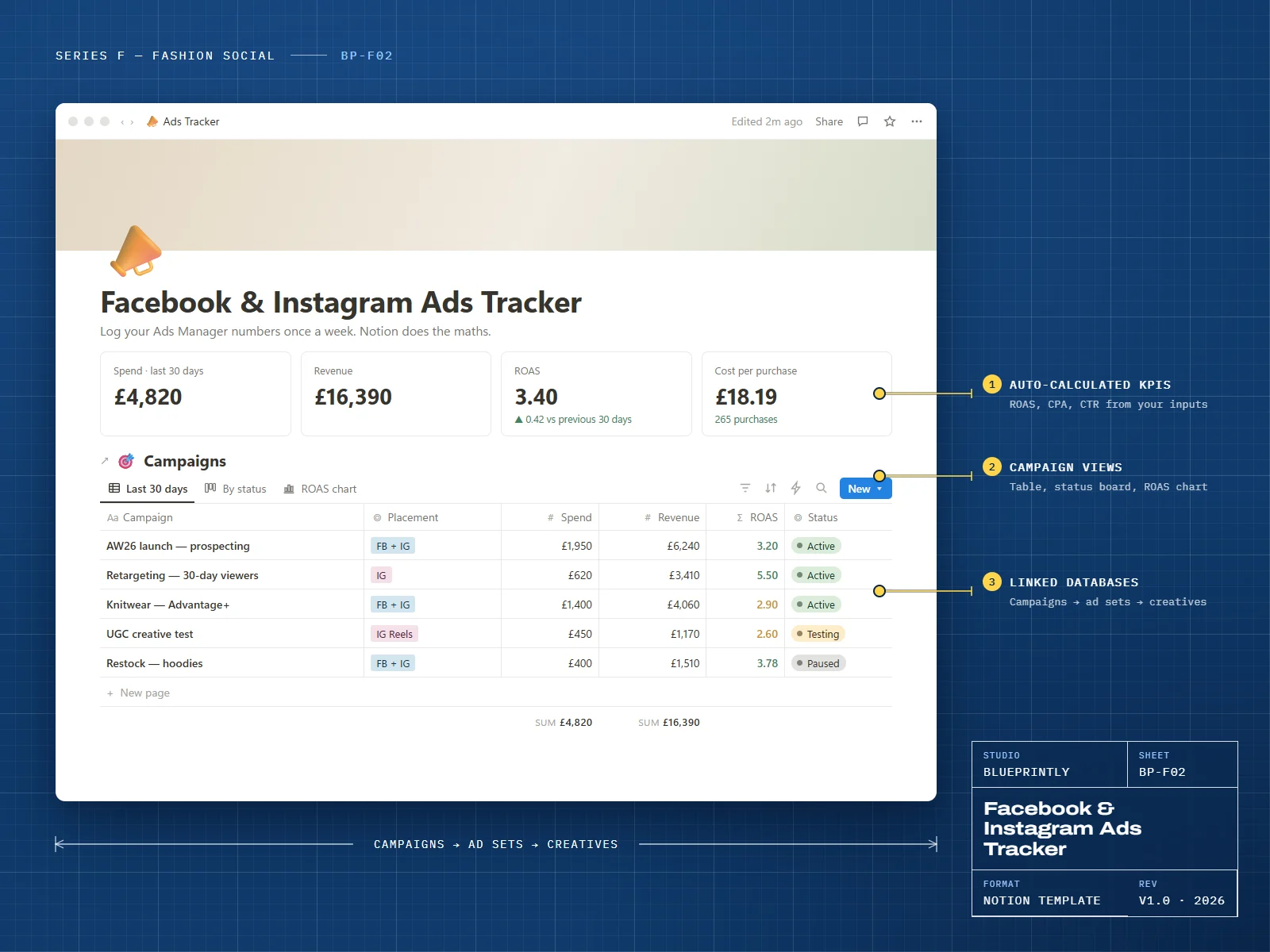
Ads Manager shows you numbers; it doesn’t tell you which creative ideas are worth repeating. This tracker links campaigns, ad sets and creatives so you can see what actually sells.
There’s no live connection to Meta. You paste in spend, revenue, clicks and purchases — about five minutes a week — and the formulas do the rest. That keeps it working on Notion’s free plan, with nothing to break.
6 parts
What’s inside
Campaigns
Objective, placement, spend, revenue, ROAS and status for every campaign.
Ad Sets
Audiences, budgets and results, linked to their campaign.
Creatives
A testing board — ideas, testing, winner, retired — with hook, format, CTR and ROAS.
Audiences
Retargeting windows, lookalikes and exclusions, and where each is used.
Budget Planner
Monthly budget, spend to date and weekly spend against revenue.
Weekly Reports
A one-page template for what worked, what didn’t and what to test next.
Made for
- Clothing brands running their own Meta ads
- Freelance media buyers with fashion clients
- Founders who want to understand their ad numbers
What you need
- A Notion account — the free plan is enough
- Access to your Meta Ads Manager reports
Delivery
How you get it
Check out securely
Pay with card, Apple Pay or Google Pay through Stripe. It takes about a minute.
Open your template link
Your link appears on screen as soon as payment completes. We also email it to you within 24 hours.
Duplicate it into Notion
Click Duplicate, choose your workspace, and follow the Start here page inside the template.
Does it pull data from Meta automatically?
Which numbers do I need to enter?
How do I receive my template?
Can I get a refund?
Can I use a template for my business or my clients?
Related
You might also like
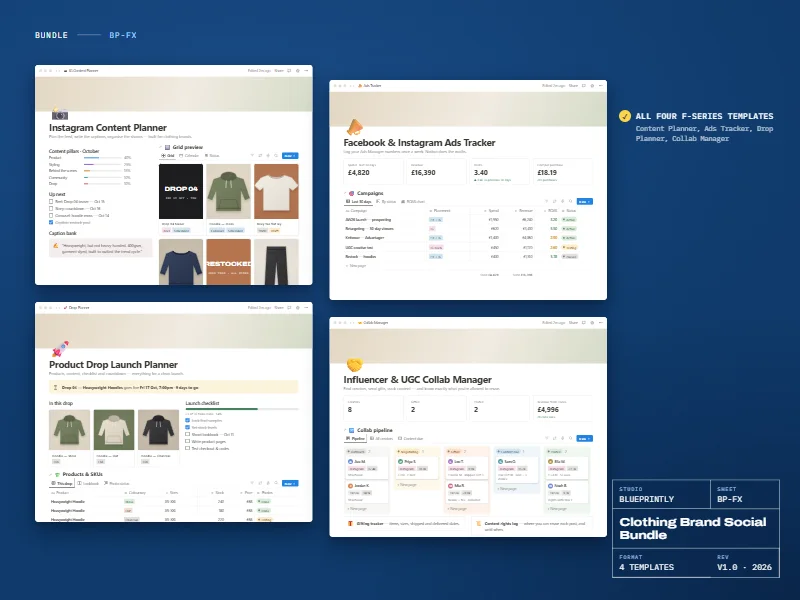
Clothing Brand Social Bundle
All four Series F templates for clothing brands on Instagram and Facebook.
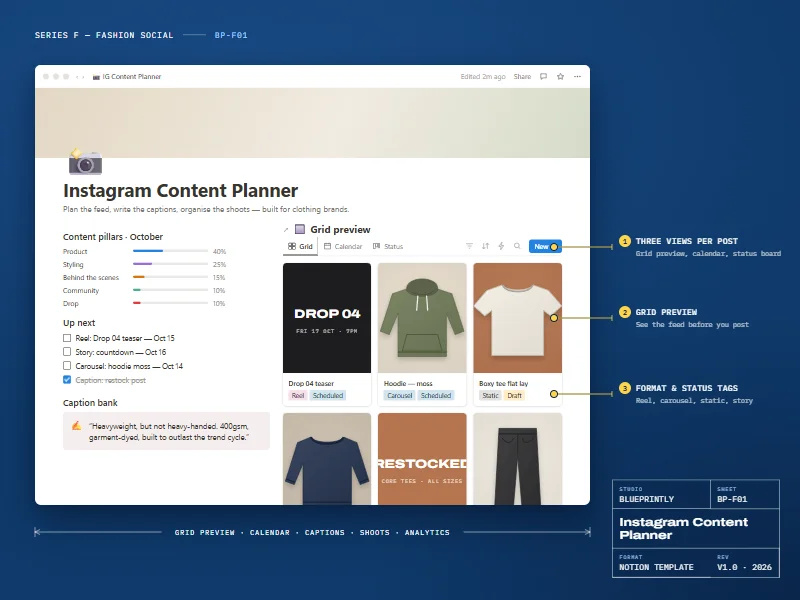
Instagram Content Planner
Plan the feed, write captions and organise shoots — built for clothing brands.
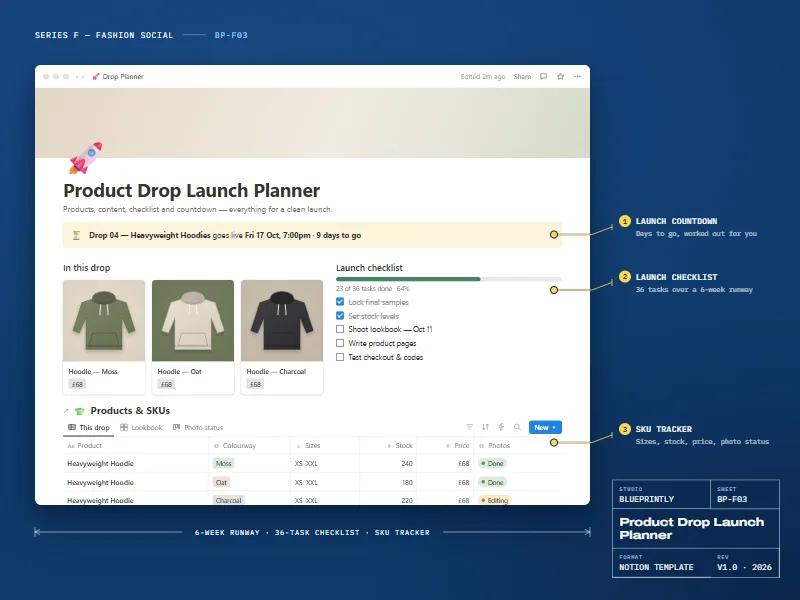
Product Drop Launch Planner
Plan a clothing drop from samples to sell-through.