Overview
Why it works
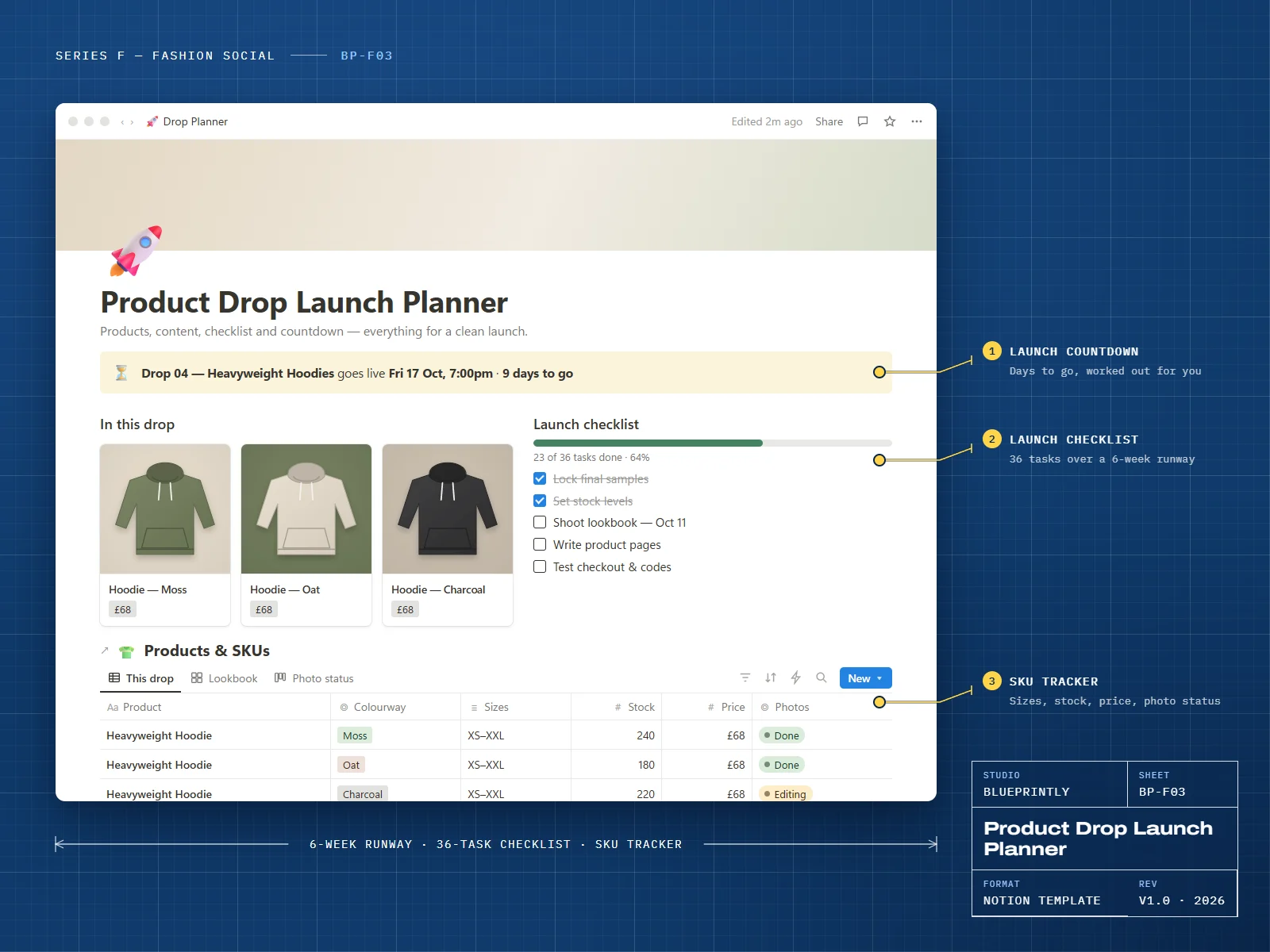
A drop has a lot of moving parts and a fixed date. The planner puts them on one timeline: a six-week runway, a 36-task checklist split into five phases, and a live countdown.
Products and SKUs sit alongside the teaser content and the email and SMS plan, and a post-drop review captures sell-through and what to change next time.
6 parts
What’s inside
Drop Calendar
Every drop with its launch date and a countdown.
Launch Checklist
36 tasks across five phases, from six weeks out to after the drop.
Products & SKUs
Colourways, sizes, stock, price and photo status.
Teaser Content
The posts and stories that build up to launch.
Email & SMS
Early access, launch and follow-up messages with send times.
Post-Drop Review
Sell-through, best sellers, stock left and lessons learned.
Made for
- Streetwear and limited-run clothing brands
- Brands moving from always-on to drop launches
- Small teams who need one plan everyone can see
What you need
- A Notion account — the free plan is enough
Delivery
How you get it
Check out securely
Pay with card, Apple Pay or Google Pay through Stripe. It takes about a minute.
Open your template link
Your link appears on screen as soon as payment completes. We also email it to you within 24 hours.
Duplicate it into Notion
Click Duplicate, choose your workspace, and follow the Start here page inside the template.
Can I reuse it for every drop?
How do I receive my template?
Can I get a refund?
Can I use a template for my business or my clients?
Related
You might also like
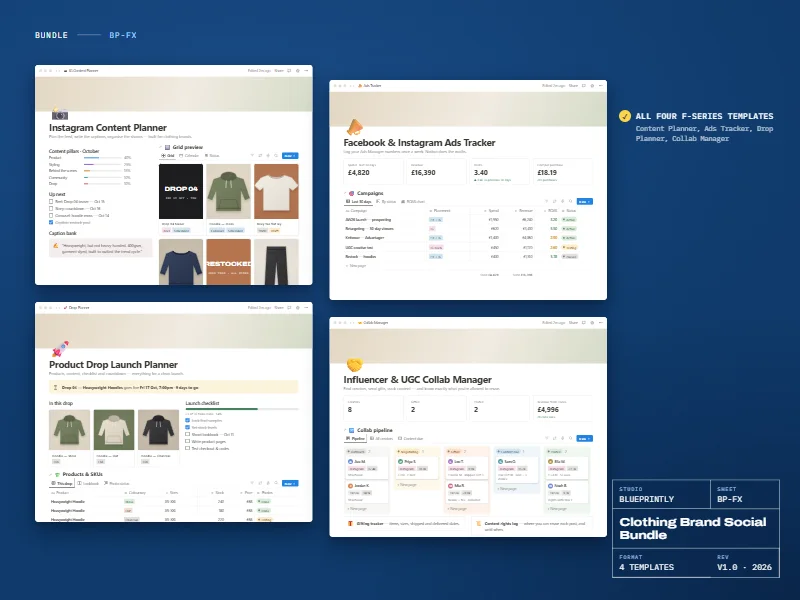
Clothing Brand Social Bundle
All four Series F templates for clothing brands on Instagram and Facebook.
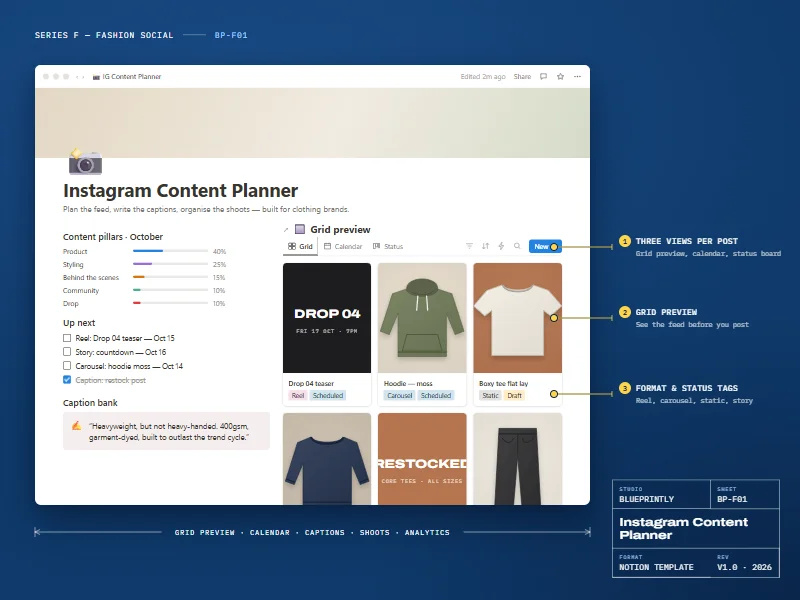
Instagram Content Planner
Plan the feed, write captions and organise shoots — built for clothing brands.
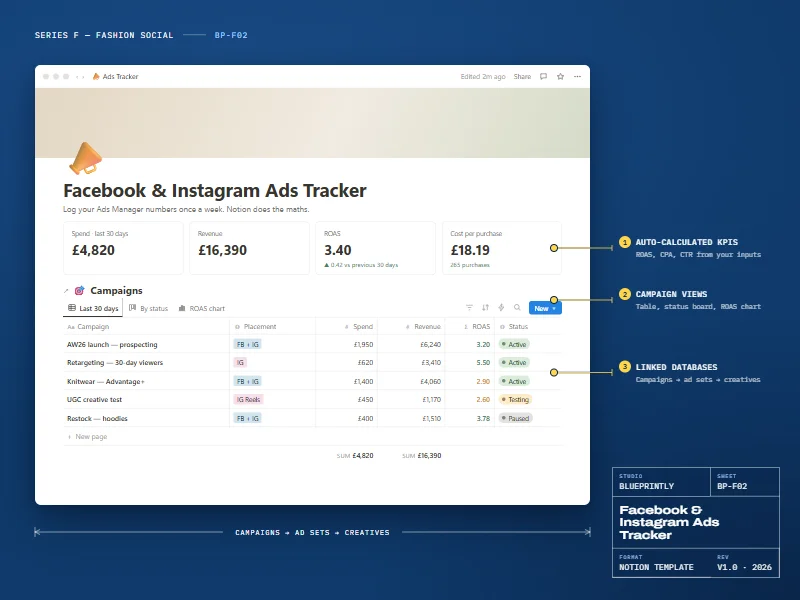
Facebook & Instagram Ads Tracker
Track campaigns, ad sets and creatives. Notion works out ROAS, CPA and CTR.